Spatial Stability & Kerf Mechanics
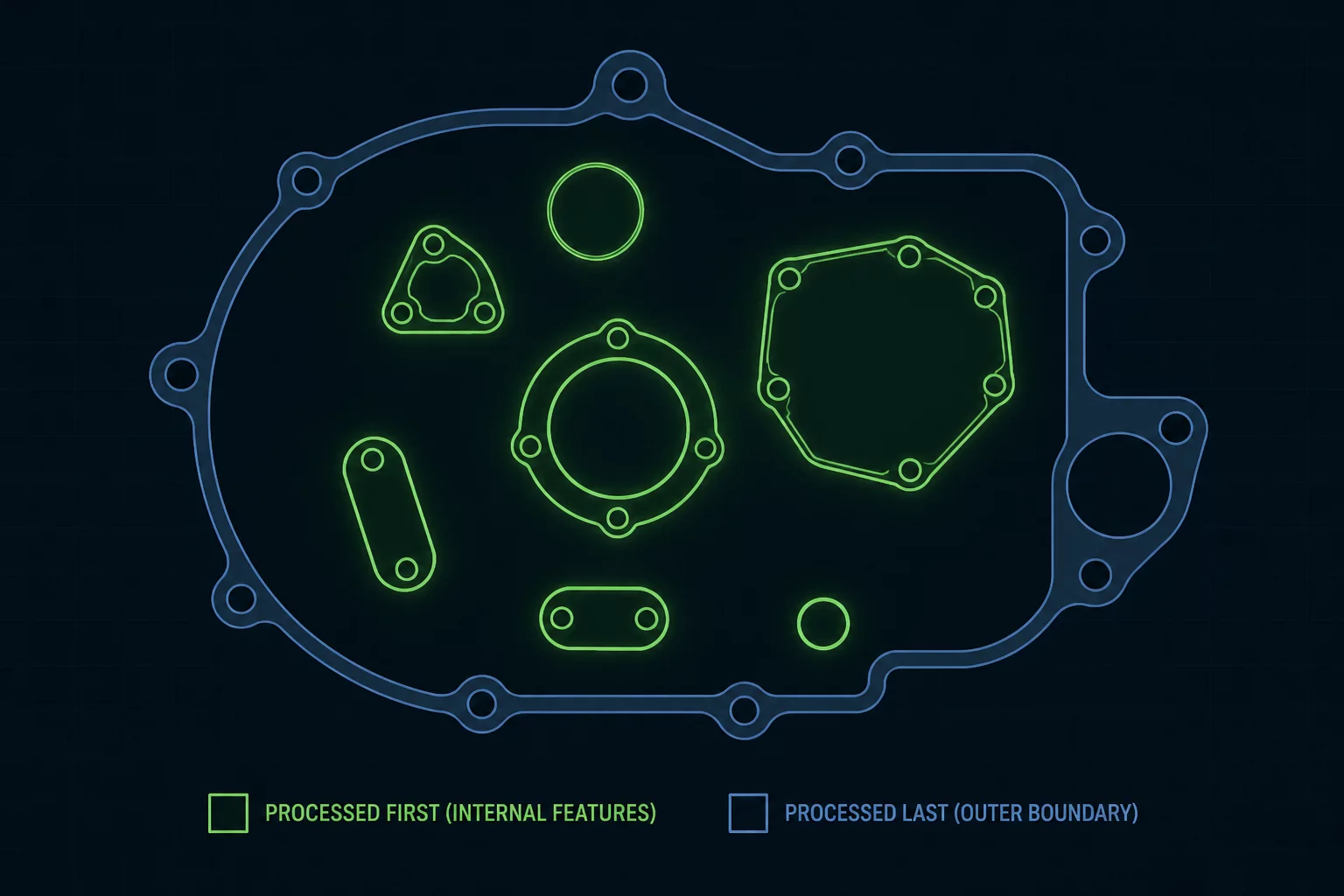
When a laser severs an external profile, the detached component rests solely on honeycomb pins or knife slats without continuous sheet tension. If inner holes or intricate decorative slots run after this perimeter separation, the piece frequently drops downward by a millimeter or tilts under pressurized assist air. Cutting all interior cutouts while the stock remains anchored inside the raw parent sheet is intended to help absolute positioning accuracy.
Every material maintains subtle internal stresses that release when heated along vector paths. Releasing inner cutouts first allows residual tension to equalize within the rigid matrix of the clamped sheet. If the perimeter boundary separates early, the component moves or vibrates during high-speed head travel, creating ruined kerf tolerances and missed registration points.
Inside-Out Ordering Hierarchy
Establishing a clean execution order requires separating internal geometry from boundary contours into dedicated layer assignments or utilizing LightBurn's automatic inside-out priority engine:
- Internal Detail Layers (Color 02 / Blue): Executes small holes, fine mounting apertures, and nested decorative cutouts while the surrounding plate holds firm.
- Intermediate Structural Cutouts (Color 05 / Yellow): Runs larger internal negative spaces and intermediate cavities with medium assist air pressure.
- Final Perimeter Severing (Color 00 / Red): Processes the continuous outermost boundary path only after all internal operations conclude.
Always double-check that tiny interior dropouts do not collide with high-velocity air nozzles if they fall slightly askew. Tuning lead-in cuts and small bridge tabs for delicate fretwork ensures pieces stay planar until the outer contour completes.
LightBurn Priority Setup & Verification
Run the LightBurn toolpath preview window (Alt+P) and slide the playback scrub bar forward to verify that no perimeter lines trigger prior to inner details. Confirming this sequence virtually saves expensive sheet stock and prevents catastrophic head collisions on tilted offcuts.